Have you ever bought a replacement roller brush for your Tineco Floor One S6 / S7 Pro, only to find that it doesn’t fit?
The problem may not be the product name. Some Tineco machines with the same name use different roller brush designs. Even models sold in the same region can have different hardware versions, with small changes to the mounting arm or connector.
Those differences are easy to miss when shopping online, especially since the roller brushes look almost identical.
Here’s how to tell the two versions apart and find the right replacement parts.
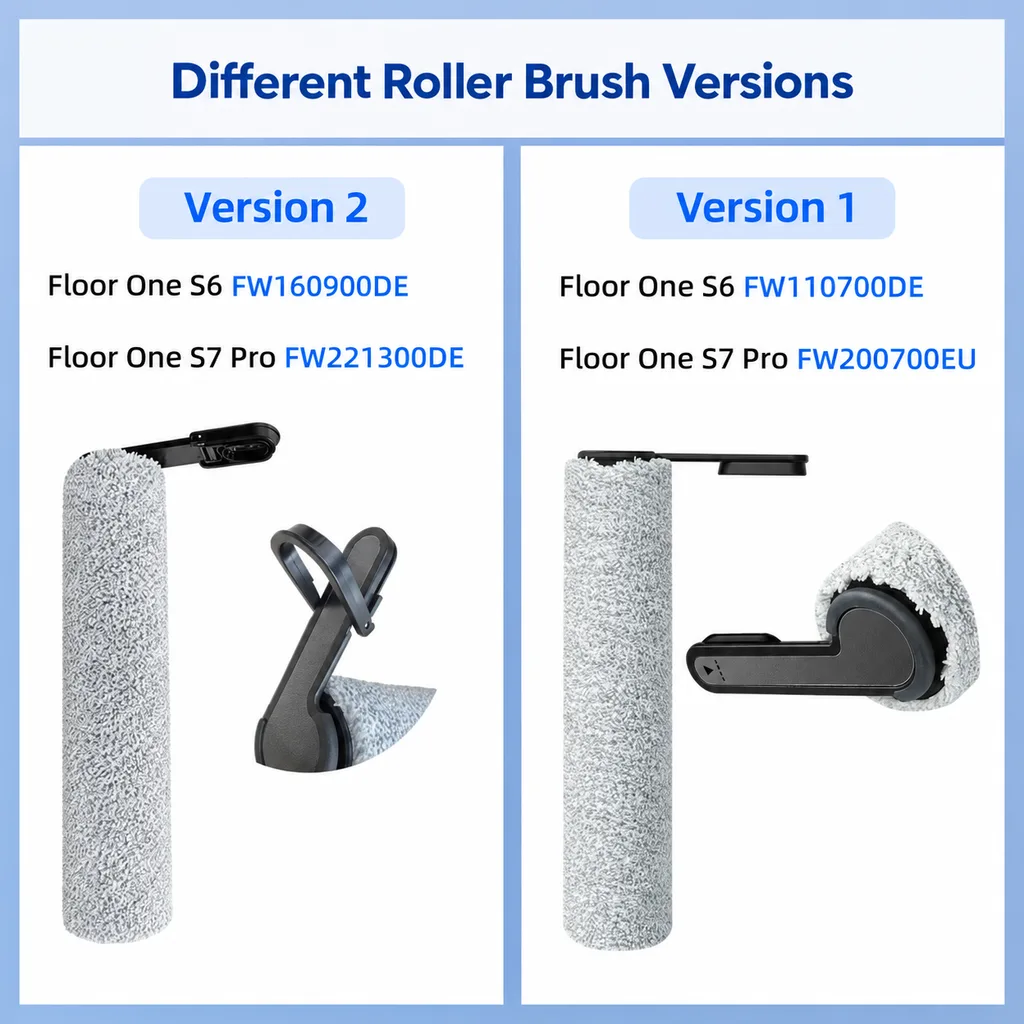
1. Check Your Tineco Model Number
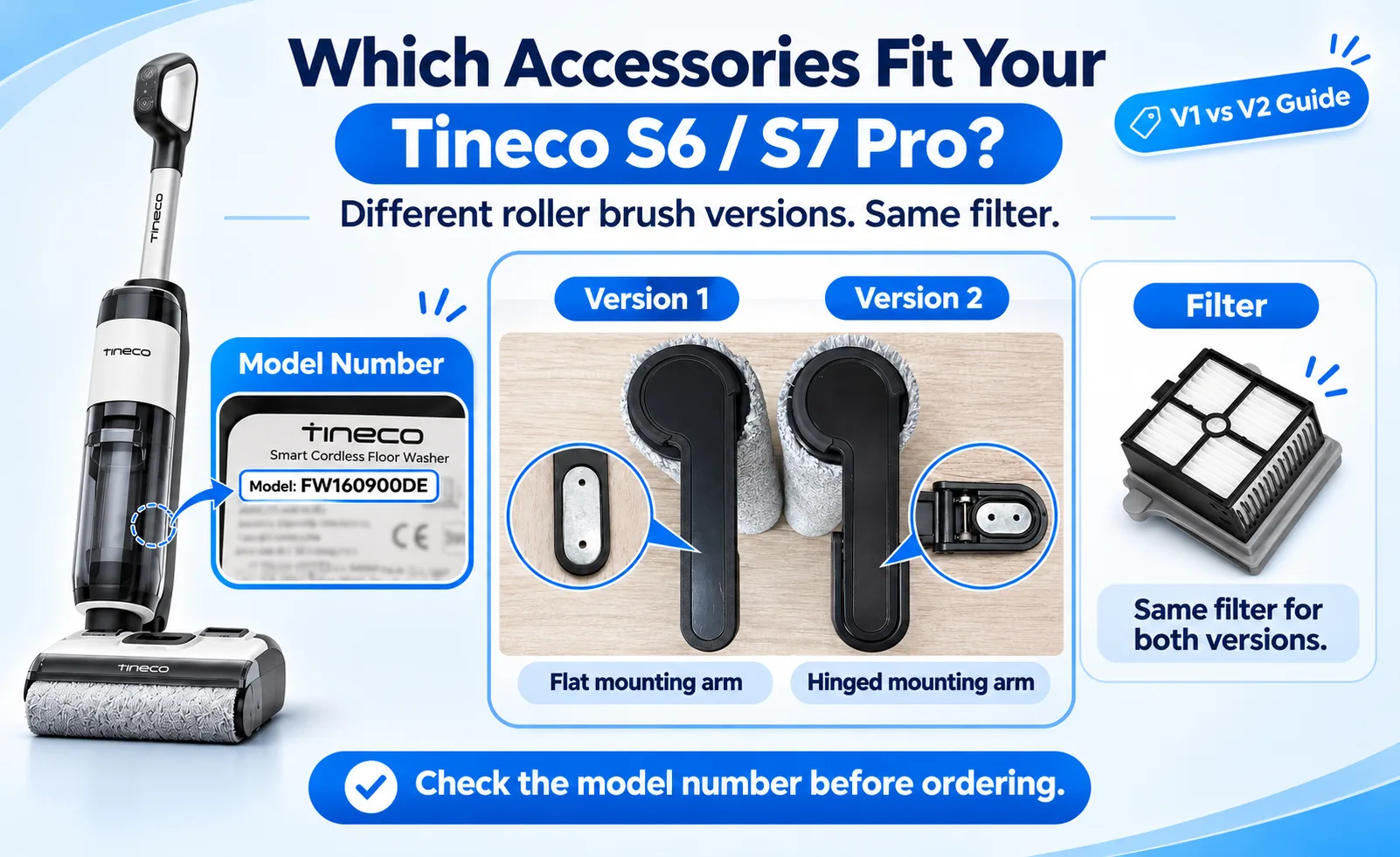
Before looking at roller brushes, find the complete model number on your vacuum’s identification label. You’ll usually see it next to the word Model.
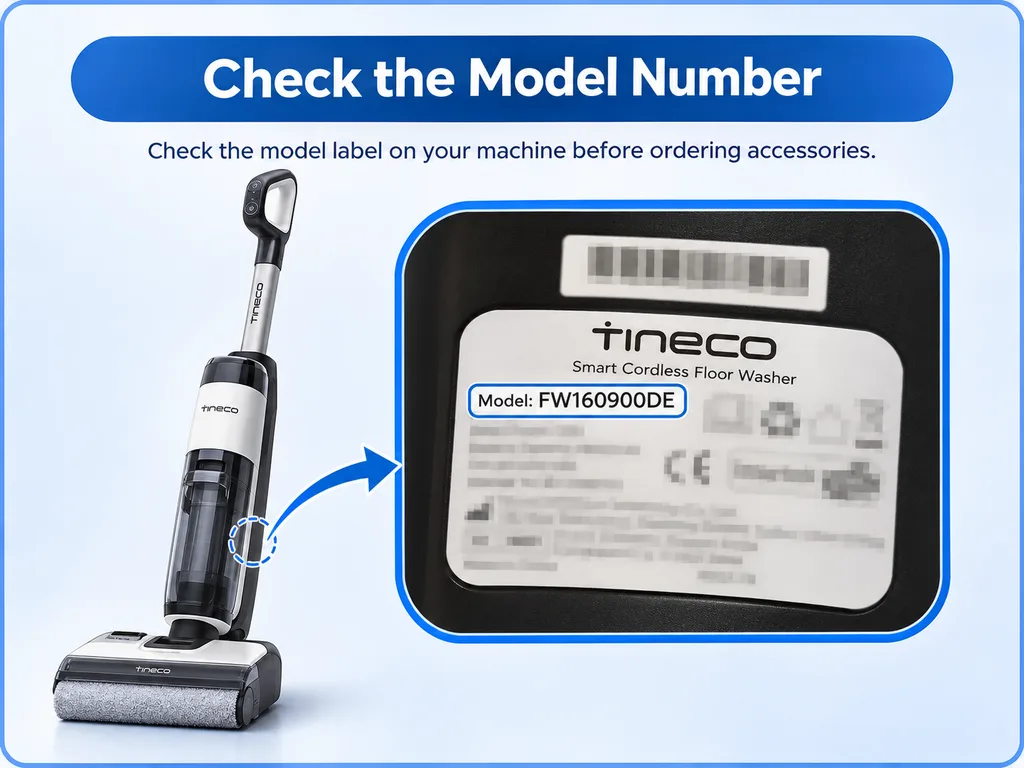
For the S6 and S7 Pro models discussed here, the roller brushes are grouped as follows:
| Version 1 | Version 2 |
|---|---|
| Floor One S6 – FW110700DE | Floor One S6 – FW160900DE |
| Floor One S7 Pro – FW200700EU | Floor One S7 Pro – FW221300DE |
For example, both FW110700DE and FW160900DE are associated with the Floor One S6 name, but their roller brushes use different connection designs. Record your full code, including its letters, before choosing a replacement.
2. How to Tell Version 1 and Version 2 Roller Brushes Apart
At first glance, Version 1 and Version 2 look very similar. Both have a gray roller body and an oval metal connector with two small holes. The real difference is in the black plastic mounting arm.
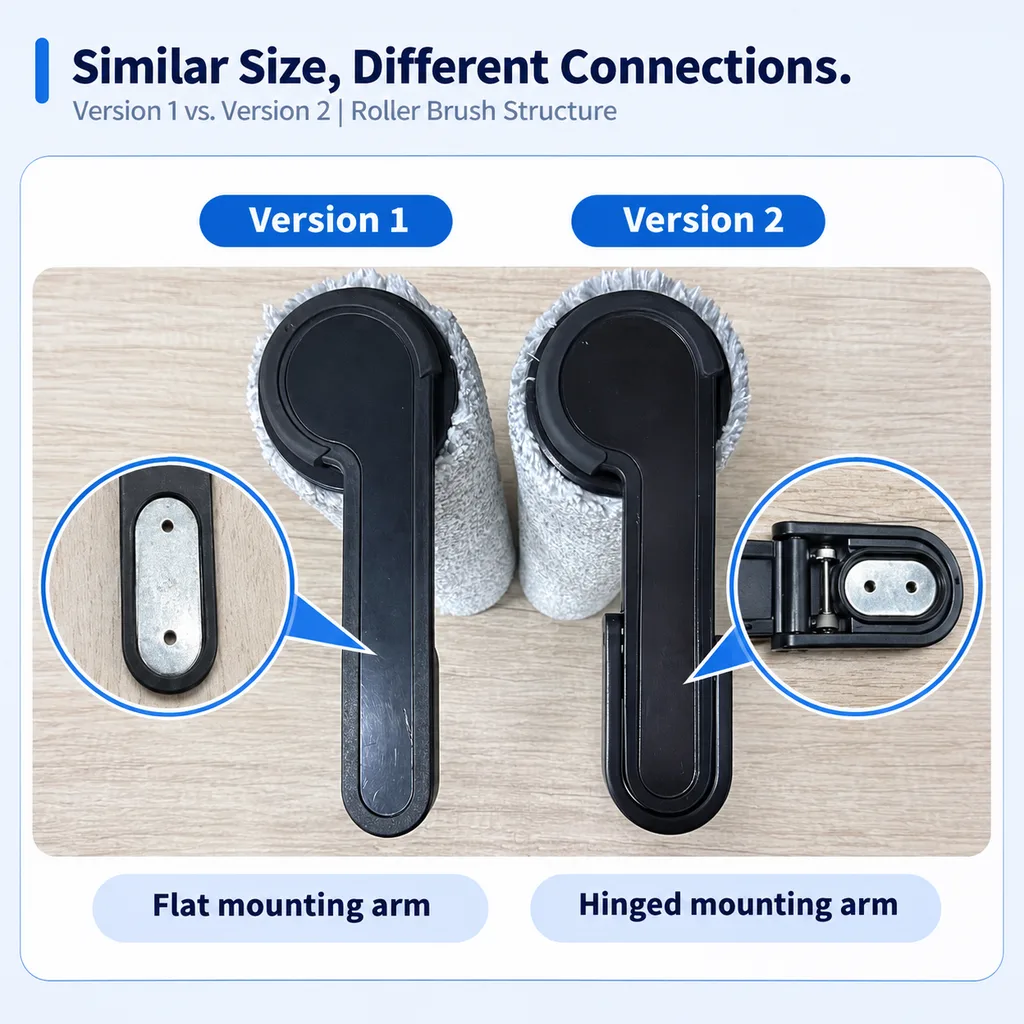
| Version 1 – Flat Mounting Arm | Version 2 – Hinged Mounting Arm |
|---|---|
| Version 1 has a relatively simple, flat plastic arm. Its oval-shaped metal connector, with two small holes, sits directly within the end piece, without an exposed hinge beside it. | Version 2 has a more detailed mounting structure, including a visible hinge and a surrounding side frame near the oval metal connector. These features distinguish it from Version 1. |
Look beyond the two-hole metal plate. Compare the surrounding plastic frame and hinge area as well.
Why Similar Measurements Don’t Guarantee Compatibility
Our measurement photos show that the two roller brushes have similar overall lengths and mounting-arm dimensions. But matching measurements don’t guarantee matching connections.
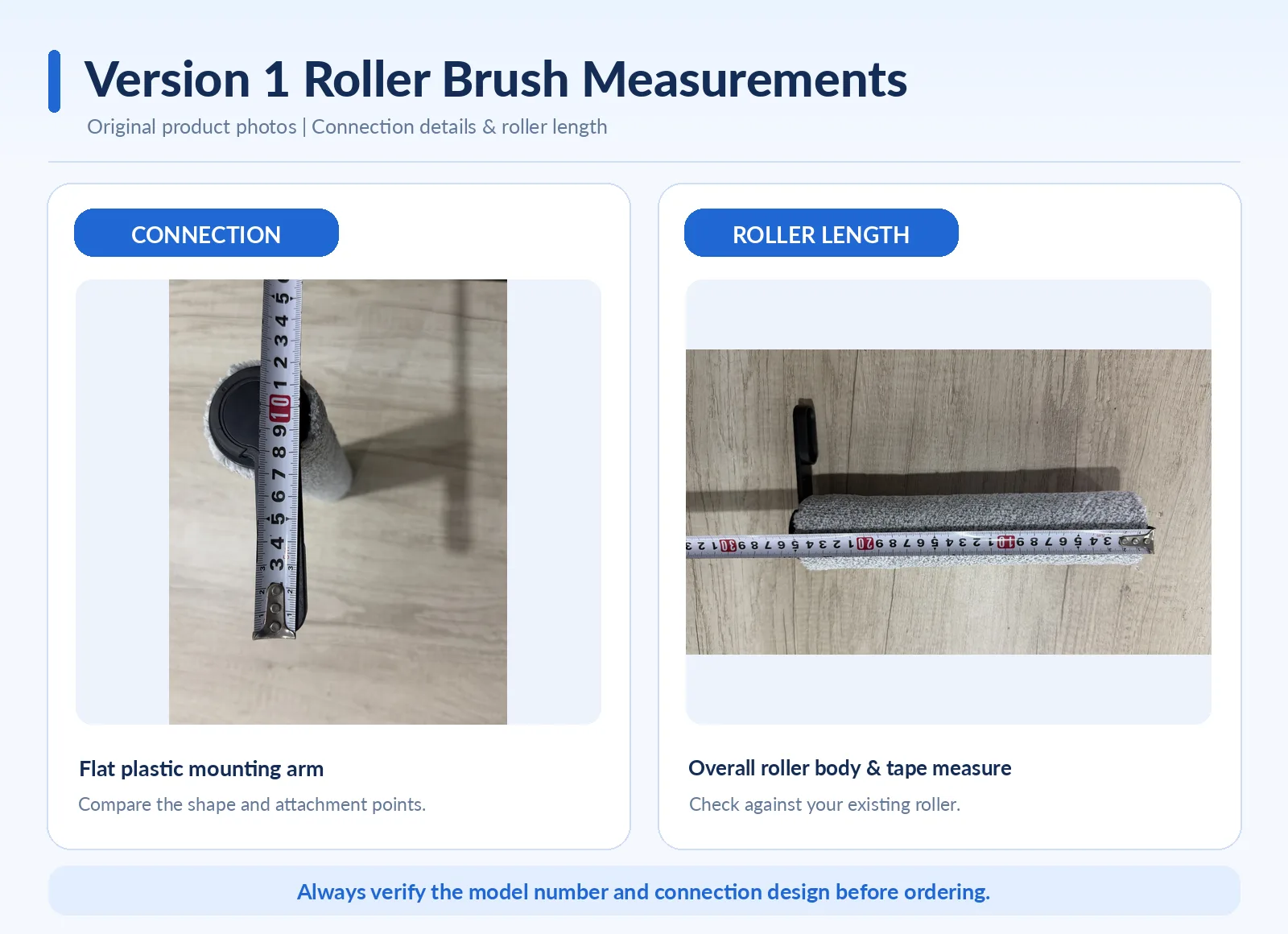
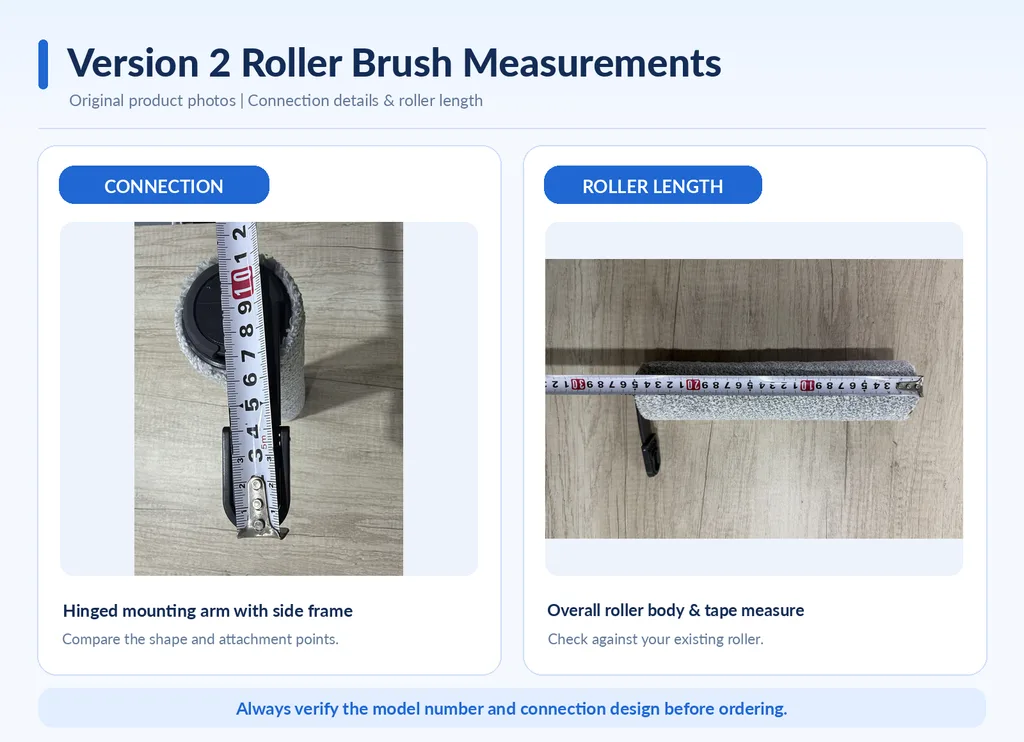
The connector is what matters when installing the brush. If the mounting structure doesn’t match your machine, the roller may not fit correctly.
What If Your Replacement Roller Brush Doesn’t Fit?
If you’ve already purchased a replacement roller brush but can’t install it properly, don’t force it into place. The problem may be related to the roller brush version rather than the installation itself.
Here are a few things worth checking:
- Compare the connectors: Remove the replacement brush and place it next to your old one. Look closely at the mounting arm, hinge, and metal connector.
- Check the brush housing: Make sure there’s no hair, debris, or other obstruction preventing the roller from fitting into position.
- Verify your model number: Compare the complete model code on your vacuum’s label with the compatibility information provided by the seller.
If the connection structures are different, you may have purchased the wrong roller brush version.
Still having trouble? Take clear photos of your vacuum’s model label and both roller brush connectors, then send them to the seller for confirmation.
Avoid forcing a replacement brush that doesn’t fit, as this could damage the mounting components.
3. Are Tineco Floor One S6 / S7 Pro Filters Interchangeable?
The roller brushes are different, but the dry filters share the same design for the four model codes covered in this guide. Unlike the roller brushes, these matching replacement filters do not require separate V1 and V2 choices.
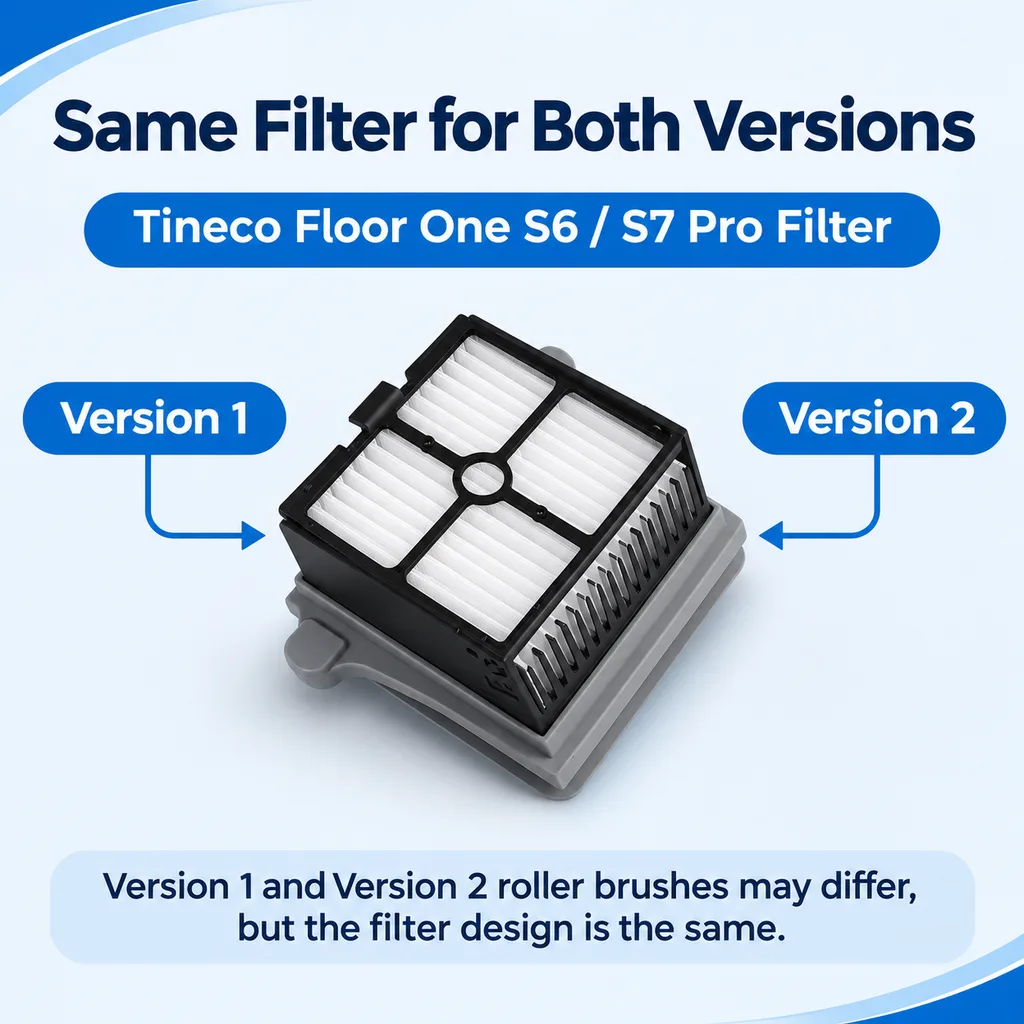
This applies to the specific models listed above, not necessarily every machine in the wider Tineco Floor One S6 or S7 family. Compare your existing filter and check the product compatibility details before ordering.
4. Find the Right Replacement Roller Brush
Once you’ve checked your model code and connector, use the corresponding version below. These are third-party compatible replacement accessories, not original Tineco parts.
Find the Right Roller Brush for Your Tineco
Ready to replace your roller brush? Choose the version that matches your machine.
Version 1 – Flat Mounting Arm
Compatible with the following models:
- Tineco Floor One S6 – FW110700DE
- Tineco Floor One S7 Pro – FW200700EU
Shop Version 1 Replacement Roller Brush
Version 2 – Hinged Mounting Arm
Compatible with the following models:
- Tineco Floor One S6 – FW160900DE
- Tineco Floor One S7 Pro – FW221300DE
Shop Version 2 Replacement Roller Brush
Still Not Sure Which Version You Have?
If your model code isn’t listed, or you’re having trouble identifying the connector, take a photo of your machine’s model label and the mounting arm on your old roller brush. Send both photos to the seller before ordering — a clear photo is more useful than guessing from the product name.
Frequently Asked Questions
Can I use a Tineco Floor One S6 roller brush on an S7 Pro?
It depends on the specific hardware version. Some models may use the same roller brush design, while others have different connectors. Check the complete model number and mounting structure before buying.
Are Version 1 and Version 2 roller brushes interchangeable?
No. The two versions shown in this guide have different mounting structures and should not be treated as interchangeable.
Do Version 1 and Version 2 use the same dry filter?
The four machine models covered in this guide share the same compatible dry filter design. For other S6 or S7 Pro variants, check the filter specifications before ordering.
What if my Tineco model number isn’t listed?
Don’t assume compatibility based on the product name alone. Compare your existing roller brush with the product photos, or contact the seller with your exact model code.